Agree on when the room can have sound
In a shared home office, choosing audio starts with two people's schedules. One person may want background music while another is listening to a meeting. Mark the times when room audio is welcome and the times when each person needs a separate listening setup. Also discuss visible distractions: a moving light display may be enjoyable during a break and unwelcome during focused work. This conversation gives you a useful starting point before comparing product features.
Choose wired speakers for agreed shared listening
The LED Dancing Water Desktop Speakers are a two-speaker set with colorful LEDs and illuminated water jets that move with the music. They require a USB power source and a device with a 3.5 mm audio output. The audio connection is wired; Bluetooth is not supported. Check your actual computer's ports before choosing a place on the desk. USB provides power for this product, so a USB socket alone does not meet its audio connection requirement. The set includes the main speaker, auxiliary speaker and power and audio connection cables.
Consider whether an open-ear fit suits your work
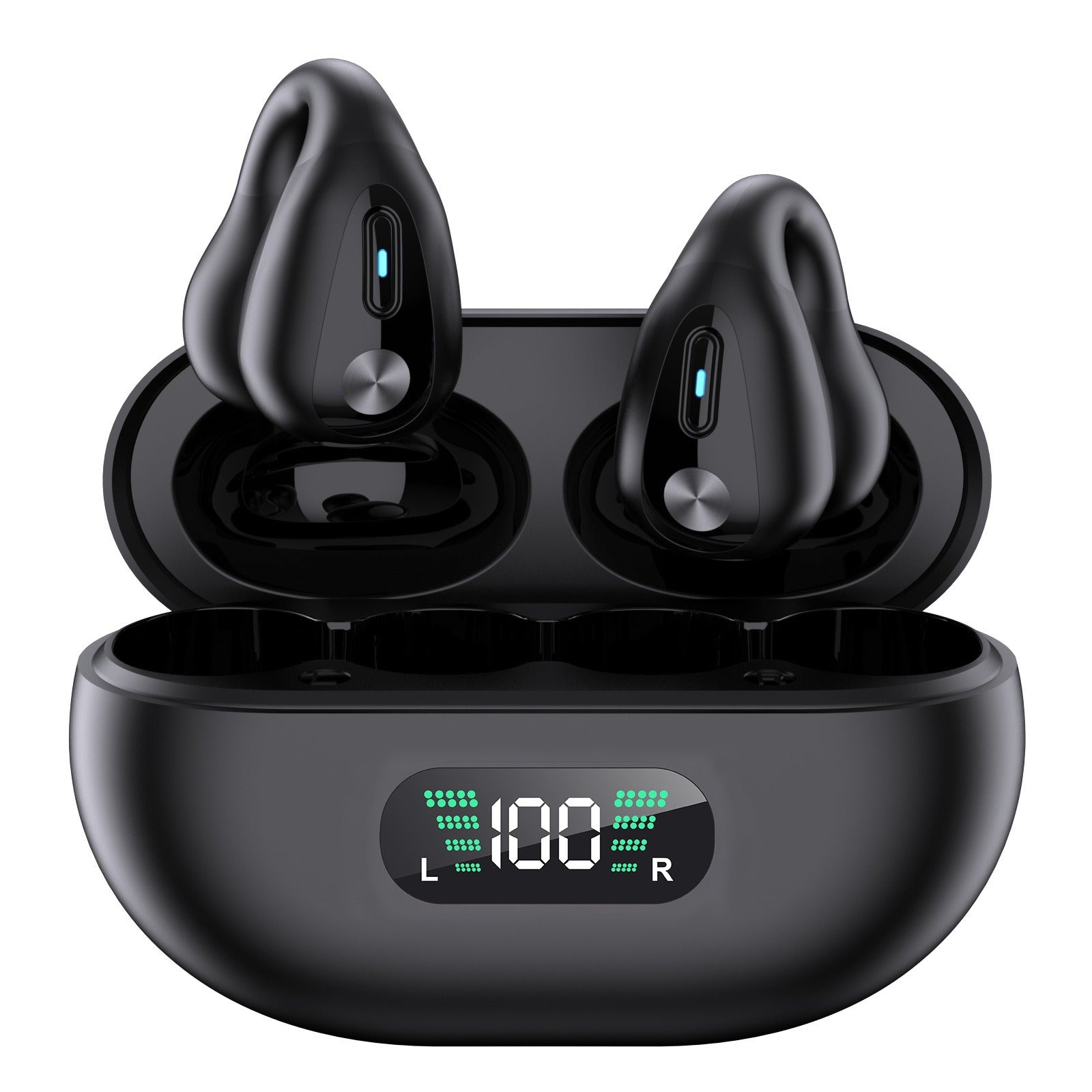
The Open-Ear Clip-On TWS Earbuds use Bluetooth 5.3 and sit outside the ear canal. They include a built-in microphone, onboard controls, charging case, charging cable and user manual. Their design uses open-ear air-conduction technology; they are not true bone-conduction headphones or medical hearing devices. Fit, volume and battery life vary with use. Decide whether you want this style of fit, then check your intended device connection. The listing does not establish sound leakage levels, noise isolation or a guaranteed battery duration, so those should not become assumptions in your office plan.
Select a G760 version by connection
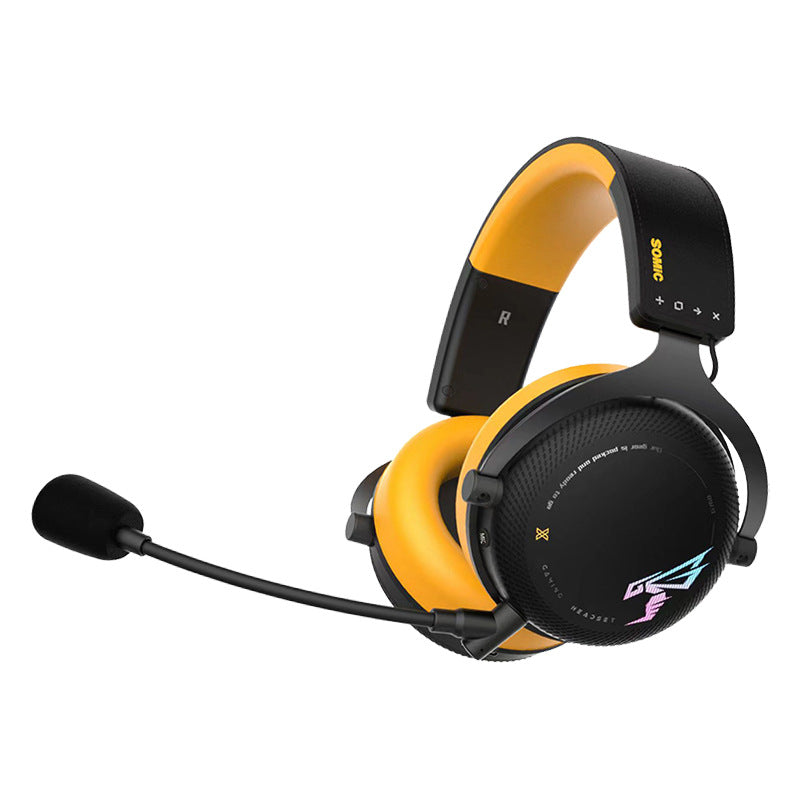
The G760 offers an over-ear design, cushioned earcups, a built-in microphone and 50 mm drivers. You choose either Wired USB or Wireless Three-Mode, and only the selected version is included. Wired USB is a wired headset with a USB connection. Wireless Three-Mode supports Bluetooth, a 2.4 GHz USB wireless-dongle connection and 3.5 mm wired audio. Device, software and microphone support can vary. The control diagram shows the wireless version, so do not use it to assume identical controls or ports on the wired version. Confirm compatibility with your computer and calling software before ordering.
Separate listening requirements from meeting requirements
Make two short lists for each person: where audio needs to play and where a microphone needs to work. A connection name alone does not answer both questions. For example, confirm microphone support in your intended G760 connection mode rather than assuming that an audio connection guarantees the full calling setup. Once you have equipment, check the selected input and output in your meeting software before an important call. Neither driver size nor a wireless version label establishes microphone clarity, connection range, latency or noise cancellation. Confirm any specific performance requirement before choosing.
Build a routine both people can follow
Keep shared speakers for the times you have agreed on, and decide where personal audio equipment will live between uses. Before a meeting, check which output the computer has selected, especially if more than one option is connected. For battery-powered choices, follow the supplied charging instructions and plan around your observed use rather than an assumed all-day runtime. A useful final decision names the product, the exact version where relevant, the connection and the work it needs to support. Any unresolved compatibility question belongs on the pre-purchase checklist.
Review the Dancing Water Speakers, Open-Ear Clip-On Earbuds and G760 Headset against your room agreement and connection checklist.