A tidy charging space starts with the devices you use, not the number of accessories you can fit on a table. Give each device a regular place, check compatibility, and choose equipment that matches your routine.
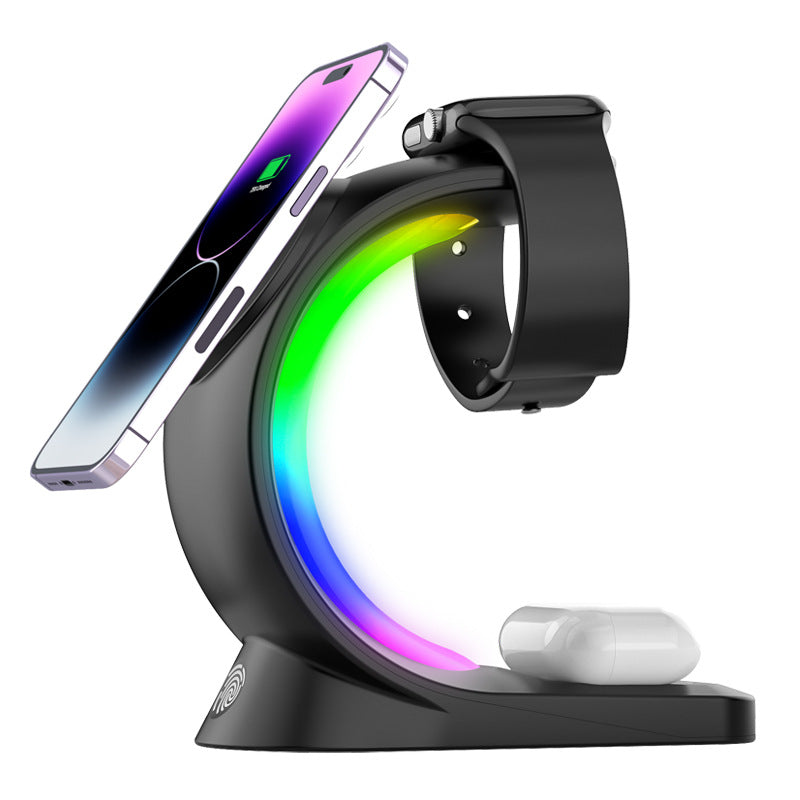
For one compatible phone and LED lighting, consider the Sculptural LED Table Lamp with optional wireless charging. For a compatible phone, Apple Watch, and compatible AirPods wireless-charging case, consider the 3-Device Magnetic Wireless Charging Station with RGB Light.
Make a quick device list
Write down the exact phone, watch, and earbuds case you want to charge. Check each model, including the case you normally keep on your phone. An earbuds case needs wireless-charging support, and a watch needs a charger that supports its model.
A magnetic case helps with magnetic attachment only when it is suitable for the charger and phone. It does not give a phone wireless-charging capability by itself. If a device is not compatible, keep its appropriate wired charger instead of forcing every device into one station.
Choose the arrangement that solves your problem
You need a lamp and a place for one phone
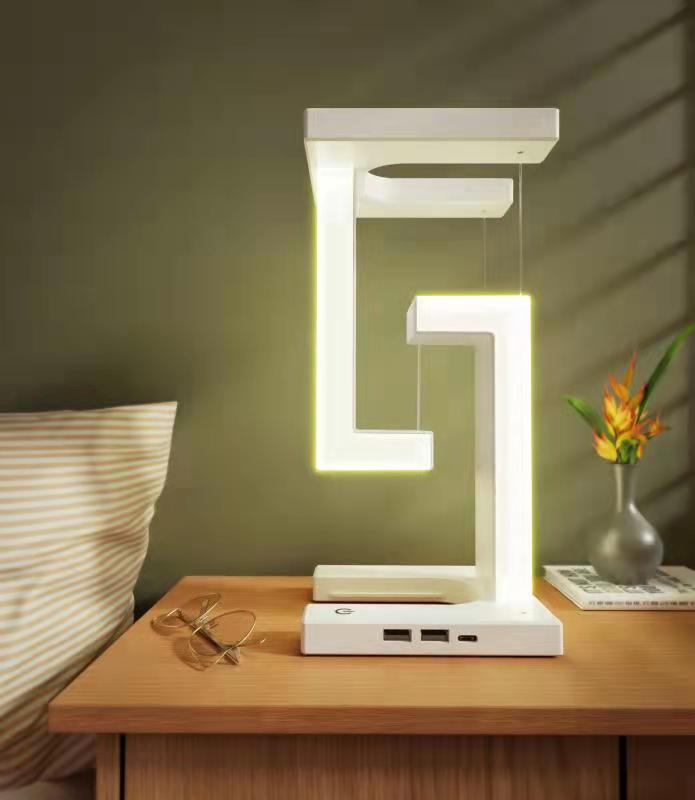
The Sculptural LED Table Lamp comes in two white versions: Lamp Only and Lamp + Wireless Charging. The latter adds a charging area for a compatible Qi-enabled phone. Choose it when you want light and phone charging together; choose lamp-only if your existing charger already works well.
The lamp has a white angular frame and a rectangular base. Leave space to operate it and to reach the phone-charging area on the charging version. Follow the supplied instructions for power and operation.
You charge a phone, watch, and earbuds together
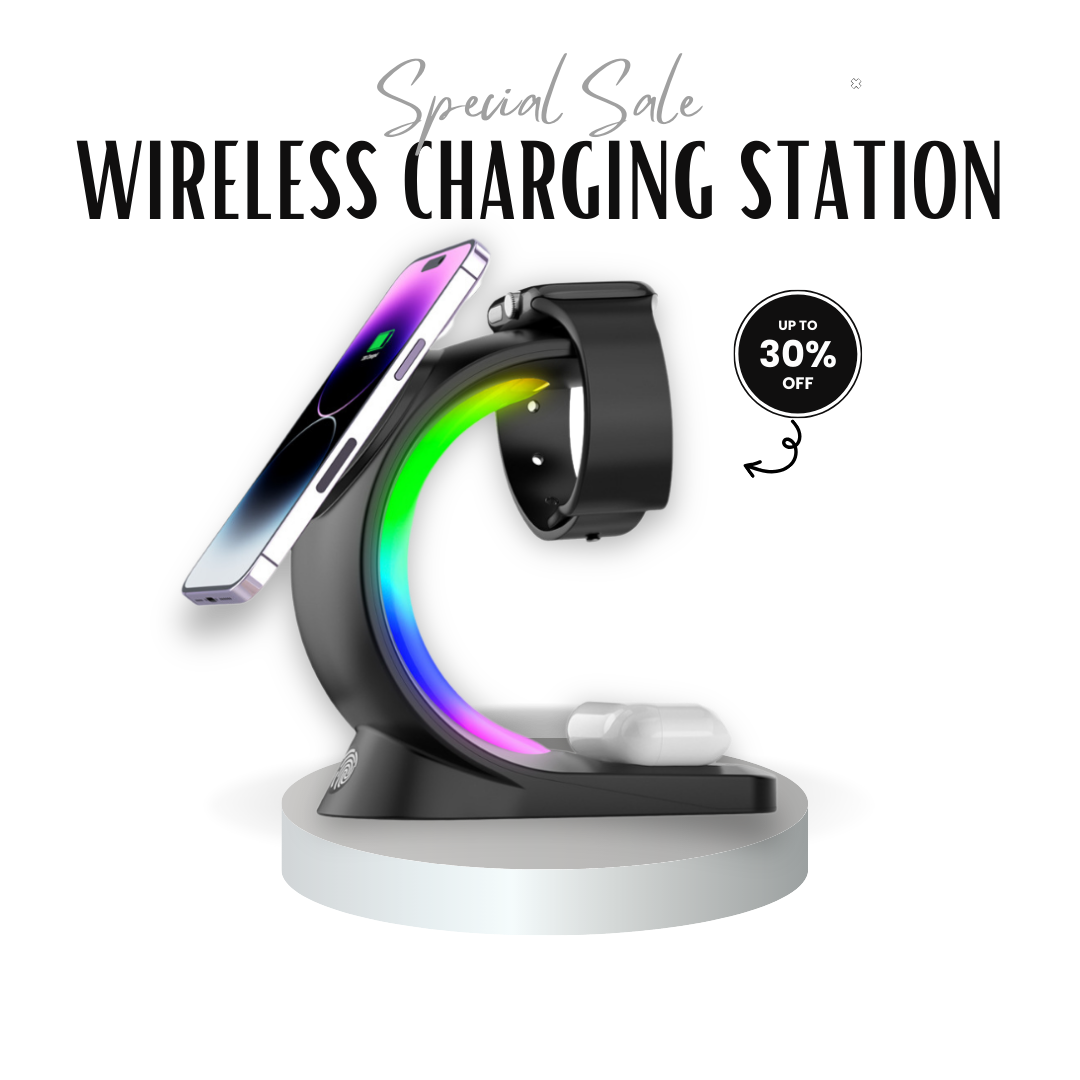
The three-device station provides separate areas for a compatible phone, Apple Watch, and compatible AirPods wireless-charging case. Its phone area is intended for MagSafe-compatible iPhones or supported wireless-charging phones with a compatible magnetic case. Confirm your exact models before buying.
Available in black or white, the station also includes RGB accent lighting. That light is an extra feature, not a fourth device-charging position.
Plan the surface and power source
A nightstand suits an evening charging routine; a desk may suit devices you need during the day. Pick a stable surface near power, away from water and the table edge. Clear unrelated objects and route the cord so it cannot pull on the base.
Both products include a power cord and user manual; devices are separate. A wall adapter is not confirmed as included. Check the required power source before ordering, especially if you need to buy an adapter.
Check each device, then keep the routine simple
Set up the product according to its manual. Add one compatible device at a time and confirm that charging starts. If it does not, check alignment, the power connection, and case compatibility.
Charging performance depends on the device, case, and power source, so confirm any specific speed requirement before buying. Keep charging areas clear, return devices to the same positions, and clean according to the instructions.
Choose the lamp with optional Qi charging for light and one phone, or the three-device station for a compatible phone, Apple Watch, and AirPods wireless-charging case setup.